Windows 8技巧:Xaml+C#开发第一个Metro Style应用程序的使用
番茄系统家园 · 2022-05-12 01:22:39
首先我们需要安装Windows 8以及VS2012,下载地址:
然后我们打开VS2012,选择Windows Metro Style,然后选择创建Blank App项目如下图: 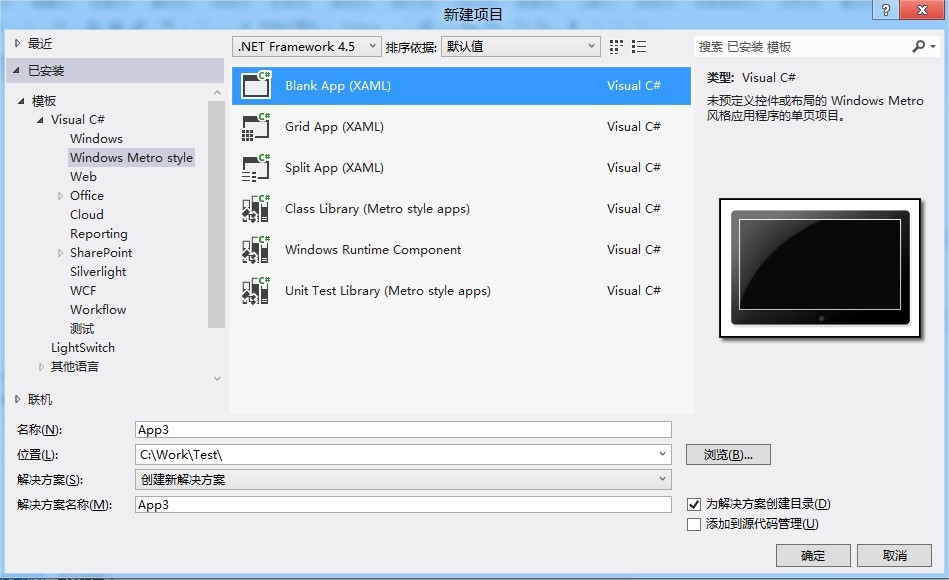
其新建完成的项目结构如下:
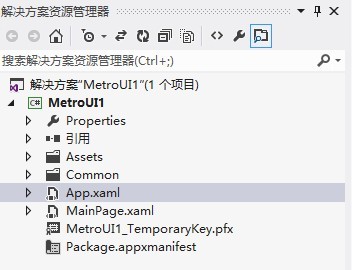
我们拖动一个按钮和ListBox到界面中,设置按钮事件以及ListBox的DataTemplate,如下Xaml代码:
复制代码代码如下:
Grid Background="{StaticResource ApplicationPageBackgroundThemeBrush}"
Button Content="Button" Name="button1" HorizontalAlignment="Left"
Margin="135,124,0,0" VerticalAlignment="Top" Click="button1_Click"/
ListBox HorizontalAlignment="Left" Name="listbox1" Height="100"
Margin="135,187,0,0" VerticalAlignment="Top" Width="140"
ListBox.ItemTemplate
DataTemplate
TextBlockWidth="60" Text="{Binding ItemName}"/
/DataTemplate
/ListBox.ItemTemplate
/ListBox
/Grid
其Xaml.cs文件如下:
复制代码代码如下:
/// summary
/// An empty page that can be used on its own or navigated to within a Frame.
/// /summary
public sealed partial class MainPage : Page
{
public MainPage()
{
this.InitializeComponent();
listbox1.ItemsSource = ItemModel.GetItem();
button1.Content = "Windows 8按钮";
}/p
///
/// Invoked when this page is about to be displayed in a Frame.
///
/// Event data that describes how this page was reached.The Parameter
/// property is typically used to configure the page.
protected override void OnNavigatedTo(NavigationEventArgs e)
{
}
private void button1_Click(object sender, RoutedEventArgs e)
{
this.button1.Content = this.button1.Content + "1";
}
}
ListBox绑定的数据源代码如下:
复制代码代码如下:
public class ItemModel
{
public string ItemName { get; set; }/p
public string ItemValue { get; set; }
public static List
{
List
list.Add(new ItemModel() { ItemName = "北京", ItemValue = "010" });
list.Add(new ItemModel() { ItemName = "上海", ItemValue = "020" });
list.Add(new ItemModel() { ItemName = "成都", ItemValue = "028" });
return list;
}
}
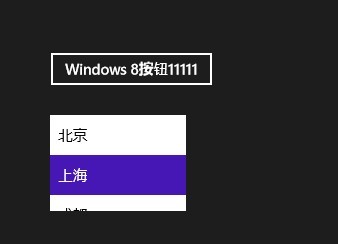
运行效果图如下: