
让Windows Vista的资源管理器加上标题的方法
番茄系统家园 · 2022-11-21 00:15:11
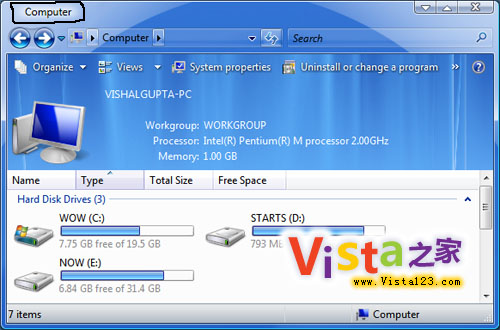
不知道大家有没有注意到,Vista中的资源管理器是没有标题的。而在此前的Windows中,资源管理器上是有标题文字的。没人知道是什么原因,很多人都想开启这项特性。我想最大的可能是为了保证Aero界面的美观而移去的。
不过往往这种情况都有两面性,有人喜欢的同时就有人不喜欢。那么怎么去开启呢?其实很简单。装一下小东西就行了。
下载完成后双击运行即可。现在再打开资源管理器看看吧,是不是有标题了呢?如果觉得好的好,将其添加到启动项中即可。
而想要卸载的话,在任务管理器中结束任务即可。
附部分原文:
Have you ever wondered why Explorer Windows don't show titles in Windows Vista?
In earlier versions of Windows, we could see titlebar text in explorer windows but it has been removed in Vista. No one knows the reason and many ppl want to enable it in Vista. It was removed most probably bcoz it doesnt look good in new glass interface and you can see the path in new Vista addressbar breadcrumbs.
...
猜你喜欢
最新应用







热门应用













