Win10安卓模拟器怎么用?Win10安卓模拟器使用教程
番茄系统家园 · 2022-03-15 06:00:58
Win10安卓模拟器怎么用?Visual Studio Emulator for Android是微软发布独立版本的安卓模拟器,据说 Visual Studio Emulator for Android 模拟器的性能比Google自家的要快很多,不得不佩服微软,但是需要hyper- v的支持,下面百事网小编带来详细的Win10安卓模拟器使用教程。
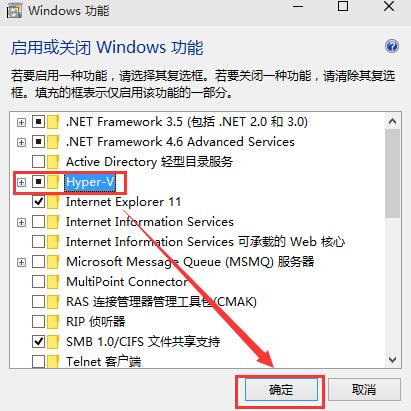
首先,开启 Hyper-V 虚拟化技术(已经开启的无视);
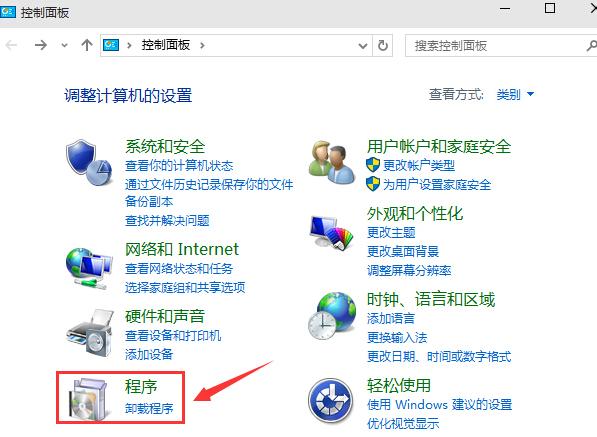
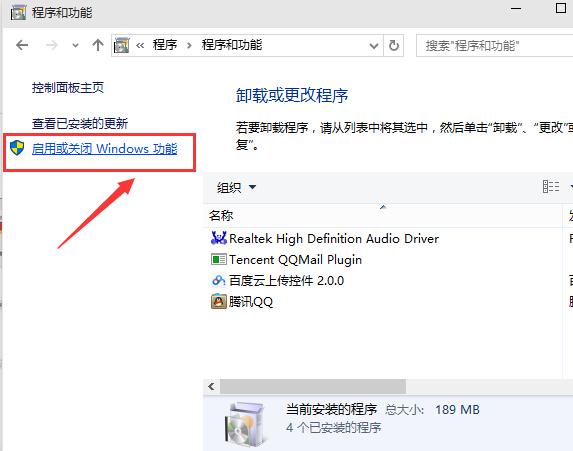
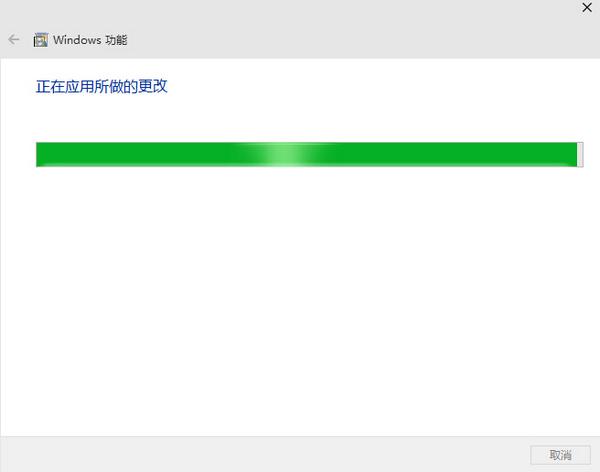
① 选中 控制面板->卸载程序->启动或关闭Windows功能->Hyper-V->确定
下载完后是一个40M左右的 vs_emulatorsetup.exe 文件,不包含安卓模拟器的镜像文件,安装的时候会默认在线下载API 19(Andorid 4.4)的x86镜像,后续你也可以单独再下载其他的API xx版本,另外说明一下, Visual Studio Emulator for Android是不依赖Visual Studio的,也就是说可以单独安装使用,Android Studio是使用adb作为桥梁来连接 Visual Studio Emulator for Android 。
安装步骤我就不列出来了, 记得安装后重启(它需要把自己加入Hyper-V Administrators的管理员组里面) 。
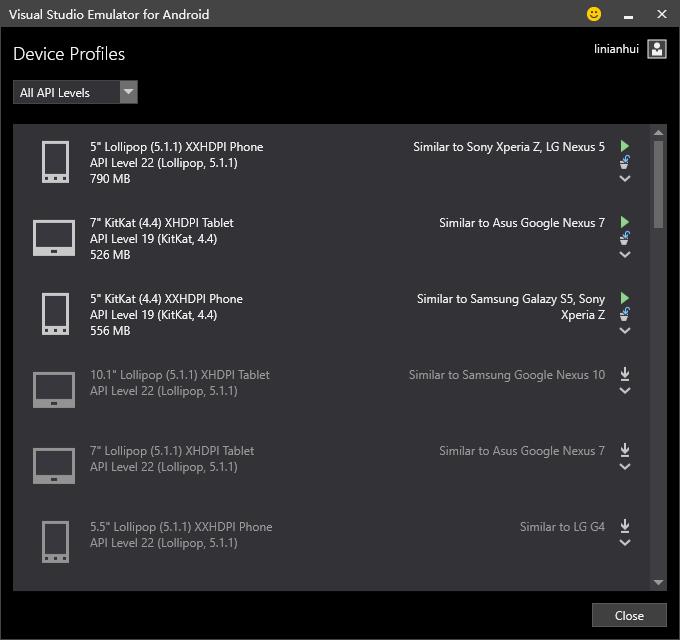
安装重启后打开 Visual Studio Emulator for Android ,如下所示:
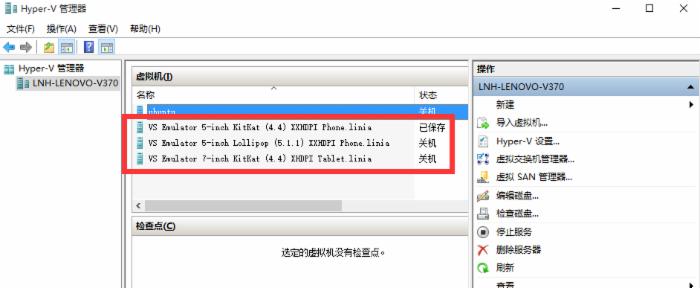
如果你启动了模拟器,则会在Hyper-V里面自动创建出对应的x86的Android虚拟机来,笔者的如下:
2.设置Andorid Studio使其可以使用这些模拟器
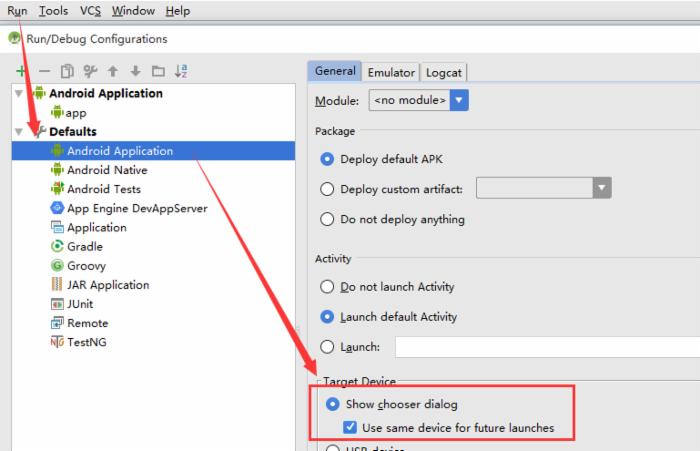
打开Android Studio> Run > Edit Configurations > Defaults / Android Application /General 选项卡的 Target Device 节点,勾选 Show chooser dialog 和 Use same device for future launches 。 记得不要忘记点Apply和OK。 如下图: