
Win10预览版18995怎么手动更新升级?
番茄系统家园 · 2022-09-27 02:59:07
10月4日,微软正式发布了Windows 10 Build 18995预览版更新,该怎么手动更新呢?下面我们就来看看详细的教程。
更新前系统版本:
Windows 10 Insider Preview 18990.1 (vb_release)

一、更新准备:
1、进入 Windows 系统配置 - 更新和安全 可见:
Windows 10 Insider Preview 18995.1 (vb_release)
状态:正在等待下载
点击:下载

2、准备下载:
Windows 10 Insider Preview 18995.1 (vb_release)
状态:正在下载 0% ~ 100%


3、准备安装:
Windows 10 Insider Preview 18995.1 (vb_release)
状态:正在安装 0% ~ 35%


4、安装到35%时,弹出:
Windows 更新 - 你需要关注的事项 窗口
Intel Audio Display(intcdaud,sys),KB 4465877
......
我们点击:确认

5、待其运行完成,显示:基本准备就绪,点击:关闭

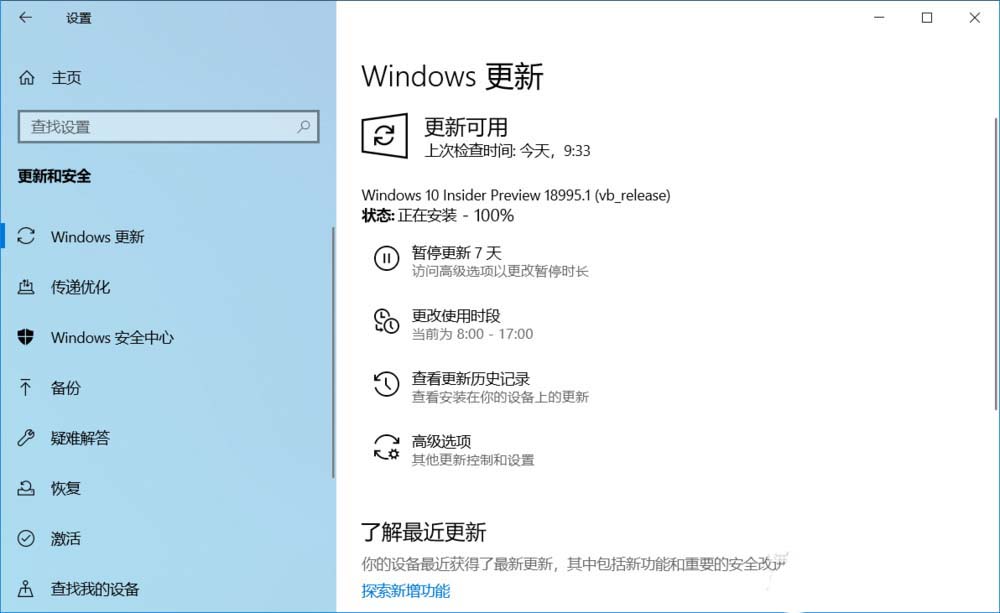
6、接着继续进行安装:
Windows 10 Insider Preview 18995.1 (vb_release)
状态:正在安装 40% ~100%

1
免责声明: 凡标注转载/编译字样内容并非本站原创,转载目的在于传递更多信息,并不代表本网赞同其观点和对其真实性负责。如果你觉得本文好,欢迎推荐给朋友阅读;本文链接: https://m.nndssk.com/xtwt/152683vQW7tP.html。猜你喜欢
最新应用







热门应用













