
win10中GRADS出现FAST_CWD pointer错误的详细解决方法
番茄系统家园 · 2022-12-30 02:57:01
现在很多用户已经升级win10系统,但是还是系统陆续出现一些问题。由于工作需求,很多设计工作者们都会在win10系统电脑中安装GrADS(Grid Analysis and Display System)。不过部分用户在安装完GrADS,并配置好环境变量后,却发现在命令行中使用grads -l时,会出现FAST_CWD pointer错误,这该怎么办呢?怎么解决呢?下面小编就给大家介绍一下的具体解决方法,希望会对大家有所帮助!
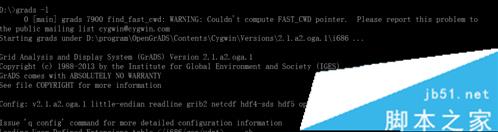
提示错误:
D:\>grads -l
0 [main] grads 7900 find_fast_cwd: WARNING: Couldn't compute FAST_CWD pointer. Please report this problem to
the public mailing list cygwin@cygwin.com
Starting grads under D:\program\OpenGrADS\Contents\Cygwin\Versions\2.1.a2.oga.1\i686 ...
Grid Analysis and Display System (GrADS) Version 2.1.a2.oga.1
Copyright (c) 1988-2013 by the Institute for Global Environment and Society (IGES)
GrADS comes with ABSOLUTELY NO WARRANTY
See file COPYRIGHT for more information
Config: v2.1.a2.oga.1 little-endian readline grib2 netcdf hdf4-sds hdf5 opendap-grids,stn athena geotiff shapefile cairo
Issue 'q config' command for more detailed configuration information
Loading User Defined Extensions table ... ok.
GX Package Initialization: Size = 11 8.5
Error in GXSTRT: Unable to connect to X server
解决方法:
1、右击我的电脑/高级系统设置/高级/环境变量。


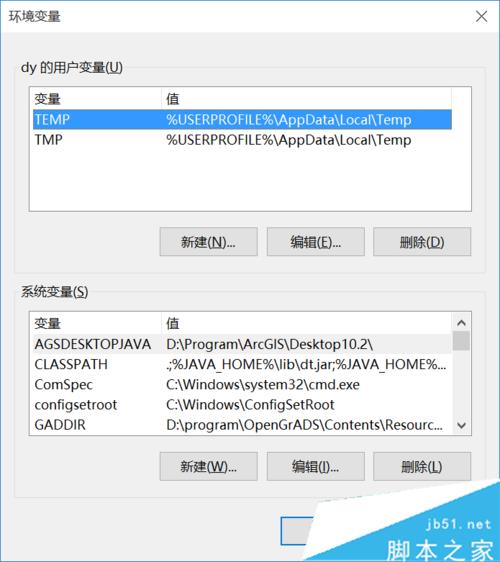
2、添加环境变量:
GADDIR
变量值如下:
D:\program\OpenGrADS\Contentsesources\SupportData
(注意OpenGrADS的安装路径)

3、找到OpenGrads的安装路径:
D:\program\OpenGrADS
找到此路径下的:
Contentsesources\Xming
也就是:
D:\program\OpenGrADS\Contentsesources\Xming
找到XLaunch.exe。
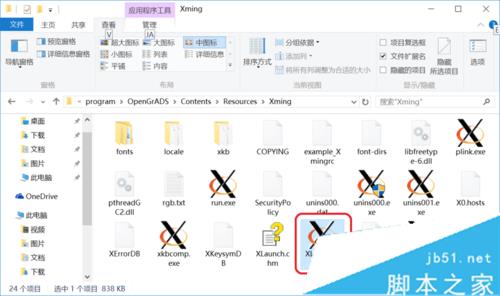
4、双击XLaunch.exe,按提示步骤配置。
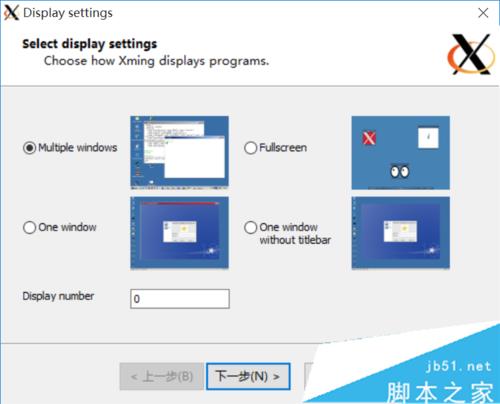

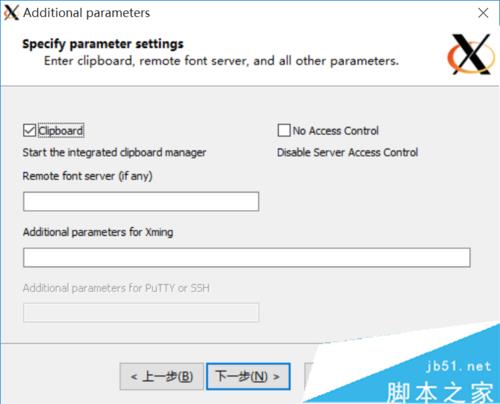
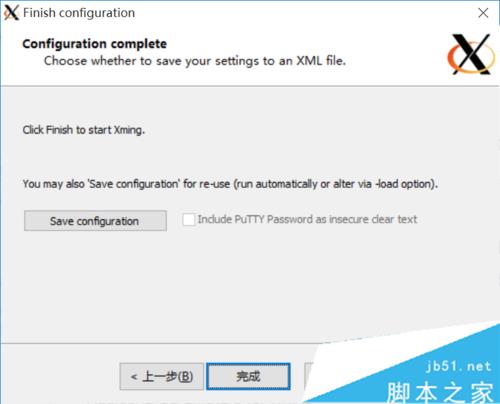
5、测试结果:
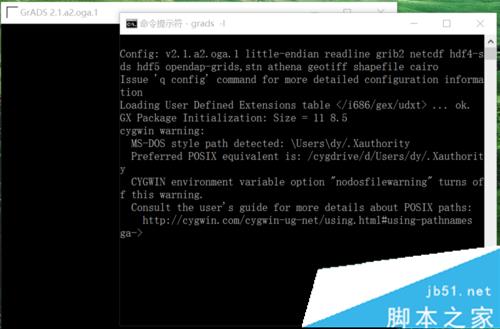
开始/cmd/grads -l
可以看到grads的绘图窗口出来了,可以正常使用。
虽然它还是提示:
0 [main] grads 2640 find_fast_cwd: WARNING: Couldn't compute FAST_CWD pointer.
win10系统中GRADS出现FAST_CWD pointer错误的解决方法就介绍到这里了。该问题的解决方法并不复杂,大家只要按照上述步骤一步步操作,相信就能很快处理好!
综上就是小编汇总的关于win10中GRADS出现FAST_CWD pointer错误的详细解决方法,大家可以参考一下吧,希望对大家有帮助!欢迎大家继续关注其他信息!
免责声明: 凡标注转载/编译字样内容并非本站原创,转载目的在于传递更多信息,并不代表本网赞同其观点和对其真实性负责。如果你觉得本文好,欢迎推荐给朋友阅读;本文链接: https://m.nndssk.com/xtwt/119824nvtdPD.html。



















