致命错误 Unhandled Access Violation Reading 0×0000 Exception at 601790h怎么办?

番茄系统家园 · 2022-10-11 08:29:13

致命错误 Unhandled Access Violation Reading 0×0000 Exception at 601790h怎么办?许多用户在安装AutoCAD的时候都出现了一些错误提示,上面这个问题主要是因为电脑启百用了数据执行保护,没有给CAD软件权限,下面小编就带着大家一起看看吧!

操作方法:

1丶右键此电脑,选择属性。
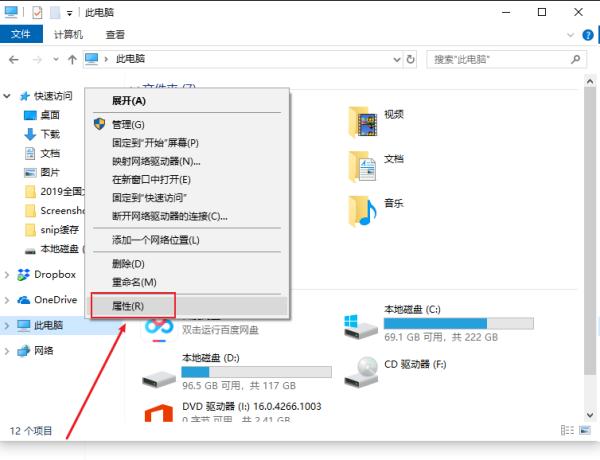
致命错误 Unhandled Access Violation Reading 0×0000 Exception at 601790h怎么办?

2丶点击高级系统设置。

致命错误 Unhandled Access Violation Reading 0×0000 Exception at 601790h怎么办?

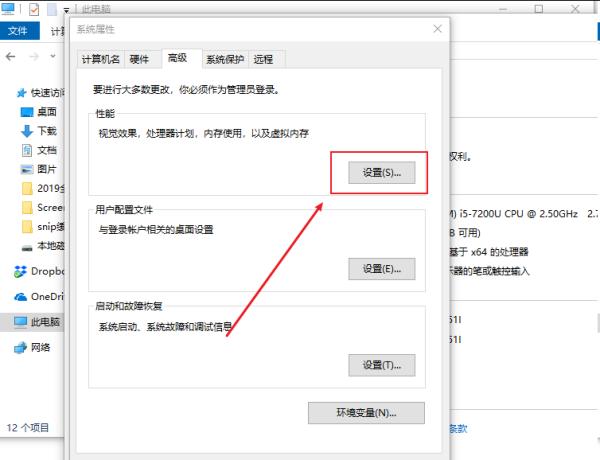
3丶点击性能中的设置按钮。

致命错误 Unhandled Access Violation Reading 0×0000 Exception at 601790h怎么办?

4丶切换到数据执行保护标签,鼠标版点选为除下列选定程序权之外的所有程序和服务启用DEP回车确定即可。
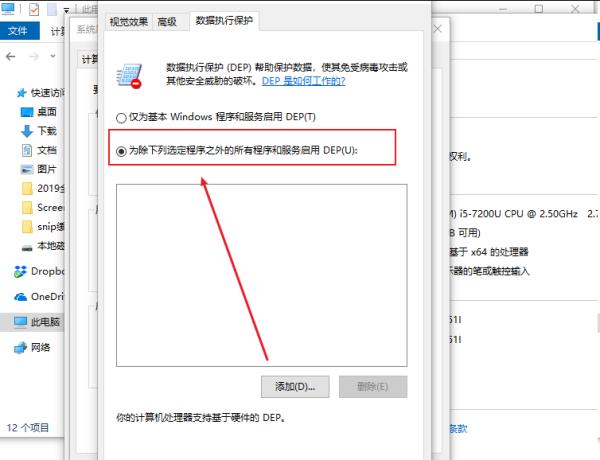
致命错误 Unhandled Access Violation Reading 0×0000 Exception at 601790h怎么办?

在CAD命令行输入:appload (或点菜单下:工具选项-----加载应用程序)

加载/卸载应用程序,在已加载的应用程序项中选中出错的*.XLX,再点击卸载,OK!
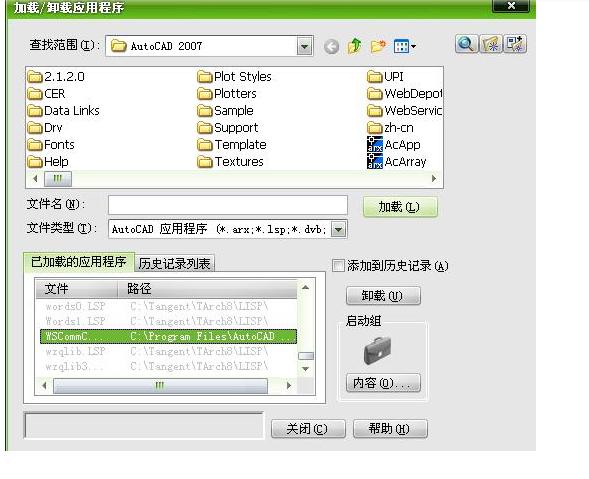
致命错误 Unhandled Access Violation Reading 0×0000 Exception at 601790h怎么办?

免责声明: 凡标注转载/编译字样内容并非本站原创,转载目的在于传递更多信息,并不代表本网赞同其观点和对其真实性负责。如果你觉得本文好,欢迎推荐给朋友阅读;本文链接: https://m.nndssk.com/xtjc/295784fXnpF8.html。
猜你喜欢
最新应用
热门应用