
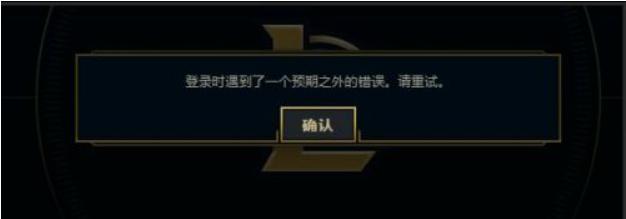
Win7电脑在登录LOL的时候出现登入时遇到了一个预期之外的错误怎么办?
番茄系统家园 · 2022-07-20 02:35:21
Win7电脑在登录LOL的时候出现登入时遇到了一个预期之外的错误怎么办?虽然微软已经出了许多的新版操作系统,但是对于一些硬件配置较低的用户还是使用win7系统。而最近有的用户就反应了这个问题,那么下面小编就带着大家一起看一下吧!
操作方法:
方法/步骤
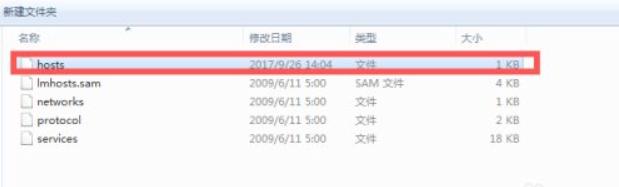
1、找到我们本机内的hosts文件,如果Hosts在指向的时候出现了问题,是会出现LOL登入时遇到了一个预期之外的错误这种问题的;
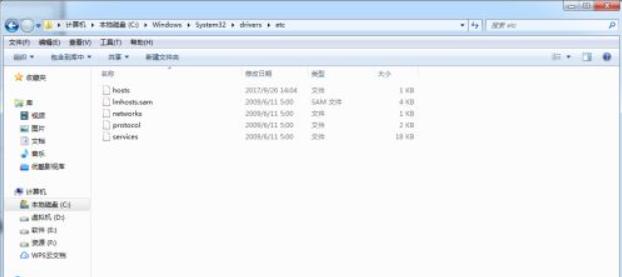
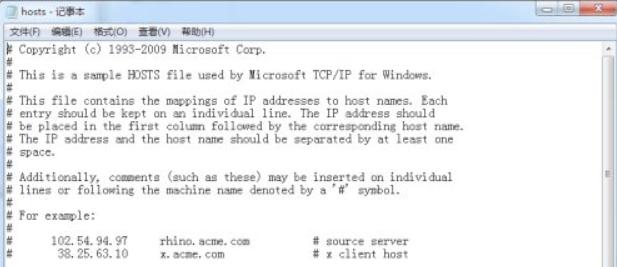
2、一般情况下路径为C:\Windows\System32\drivers\etc,找到这个文件然后清空文件内容,复制以下内容粘贴进去;
- 01 # Copyright (c) 1993-2009 Microsoft Corp.
- 02 #
- 03 # This is a sample HOSTS file used by Microsoft TCP/IP for Windows.
- 04 #
- 05 # This file contains the mappings of IP addresses to host names. Each
- 06 # entry should be kept on an individual line. The IP address should
- 07 # be placed in the first column followed by the corresponding host name.
- 08 # The IP address and the host name should be separated by at least one
- 09 # space.
- 10 #
- 11 # Additionally, comments (such as these) may be inserted on individual
- 12 # lines or following the machine name denoted by a '#' symbol.
- 13 #
- 14 # For example:
- 15 #
- 16 #102.54.94.97rhino.acme.com# source server
- 17 #38.25.63.10x.acme.com# x client host
- 18 # localhost name resolution is handled within DNS itself.
- 19 # 127.0.0.1localhost
- 20 # ::1localhost
复制代码
Copyright (c) 1993-2009 Microsoft Corp. # # This is a sample HOSTS file used
by Microsoft TCP/IP for Windows. # # This file contains the mappings of IP addresses to host names. Each # entry should be kept on an individual line. The IP address should # be placed in the first column followed by the corresponding host name. # The IP address and the host name should be separated by at least one # space. # # Additionally, comments (such as these) may be inserted on individual # lines or following the machine name denoted by a '#' symbol. # # For example: # #102.54.94.97rhino.acme.com# source server
38.25.63.10x.acme.com# x client host # localhost name resolution is handled
within DNS itself. # 127.0.0.1localhost # ::1localhost
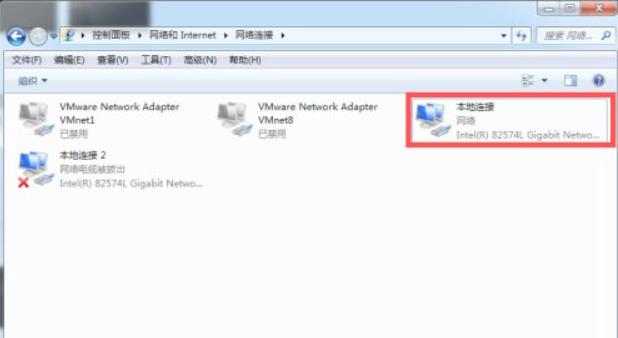
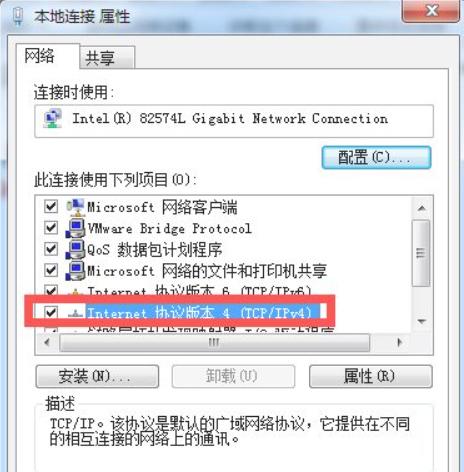
3、更改完Hosts文件后找到我们的网络连接,然后找到自己当前使用的网络连接(本地连接),右键选择属性,找到下图所标记的协议;
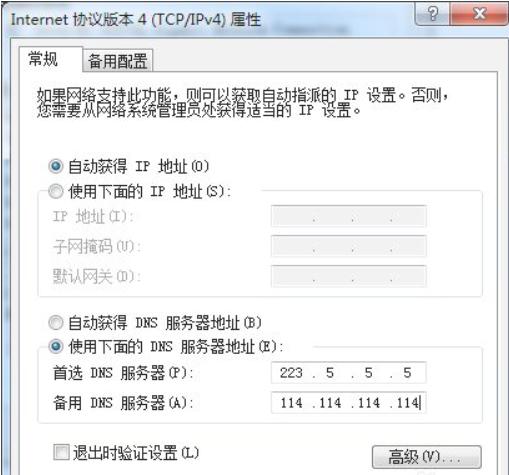
4、把DNS更改为公网DNS大家可以参考下今年评估的DNS排名,选择你所需要的DNS作为固定DNS;
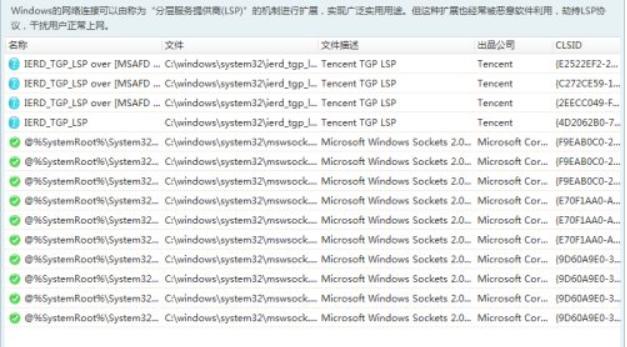
5、最后只需要重置下网络协议即可,这里我们可以使用本机自带的DOS命令进行重置也可以使用第三方软件进行重置;
6、这样就可以顺利登入游戏了,导致这种情况出现的原因一般为高峰期、更新后、或者有些人被封号了也会导致这类情况的出现,被封号这种情况是无法通过重置网络设置解除的。
以上就是Win7系统LOL登录时遇到了一个预期之外的错误的具体解决方法,按照以上方法进行操作,相信再次登入LOL的时候,就能正常登入了。
免责声明: 凡标注转载/编译字样内容并非本站原创,转载目的在于传递更多信息,并不代表本网赞同其观点和对其真实性负责。如果你觉得本文好,欢迎推荐给朋友阅读;本文链接: https://m.nndssk.com/xtjc/294205uBX76L.html。



















