U盘打不开提示Remove disks or other media怎么办?

番茄系统家园 · 2022-02-14 05:42:43

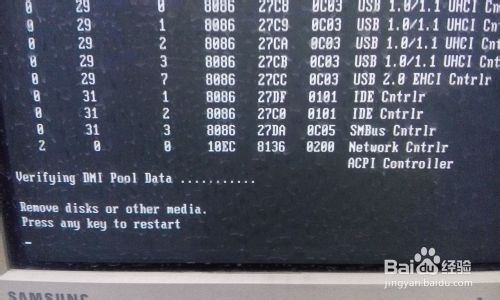
小编有一次用U盘重装系统,结果U盘插上去以后提示“Remove disks or other media”,难道是U盘没有被识别?遇到这种问题该怎么办呢

1、下图即小编遇到的问题,大家遇到的是不是跟小编一样呢
U盘打不开提示Remove disks or other media怎么办?

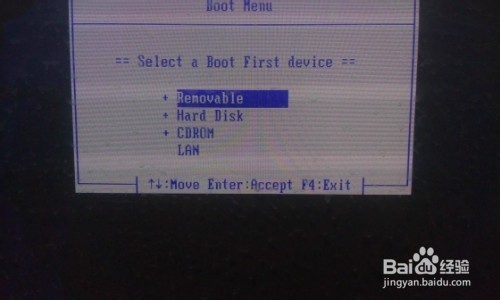
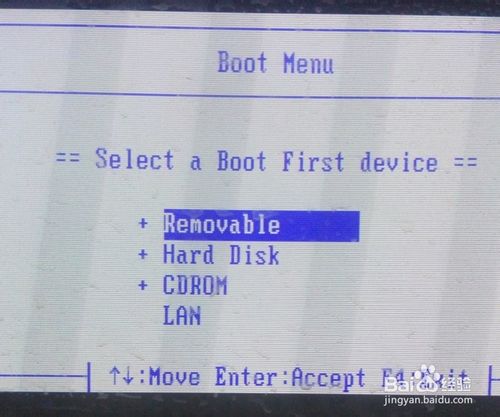
2、我们使用快捷键找到选择画面,通常情况来说U盘是在第一项里面,我们选择第一项
U盘打不开提示Remove disks or other media怎么办?

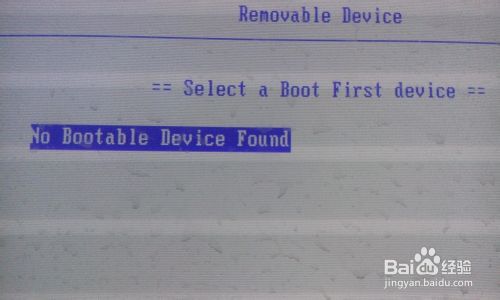
3、提示没有引导盘,难道U盘没有识别出来?

U盘打不开提示Remove disks or other media怎么办?

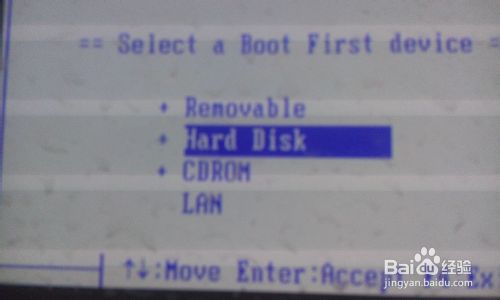
4、我们选择第二项

U盘打不开提示Remove disks or other media怎么办?

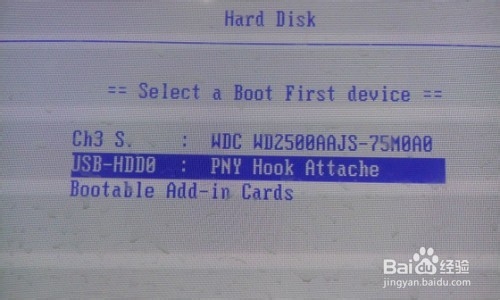
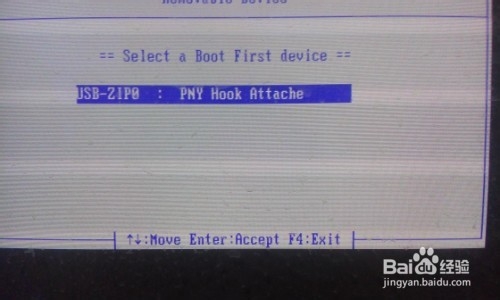
5、U盘被找到了,只是不是在通常在的地方

U盘打不开提示Remove disks or other media怎么办?

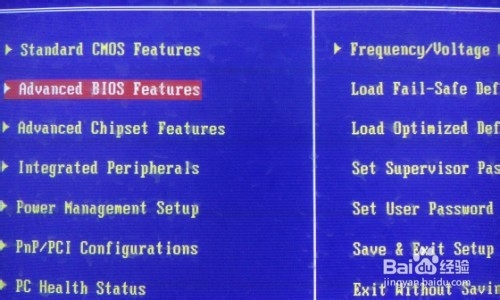
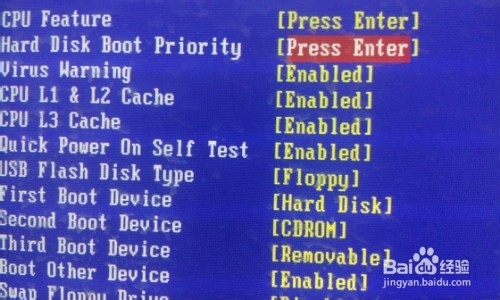
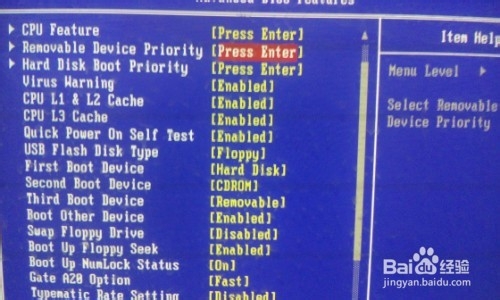
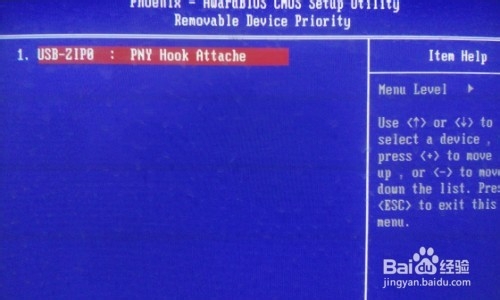
6、我们进入BIOS,选择第二项

U盘打不开提示Remove disks or other media怎么办?

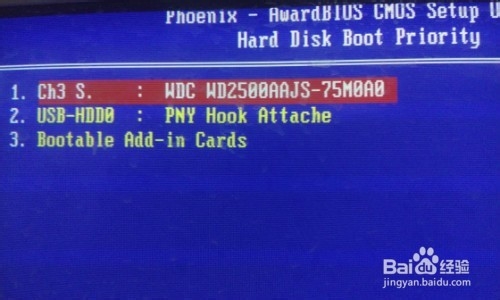
7、选择第二项回车

U盘打不开提示Remove disks or other media怎么办?

8、跟我们刚才看到的一样,U盘就藏在这里面

U盘打不开提示Remove disks or other media怎么办?

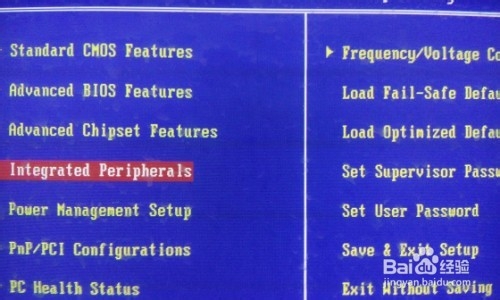
9、我们退出来选择第4项

U盘打不开提示Remove disks or other media怎么办?

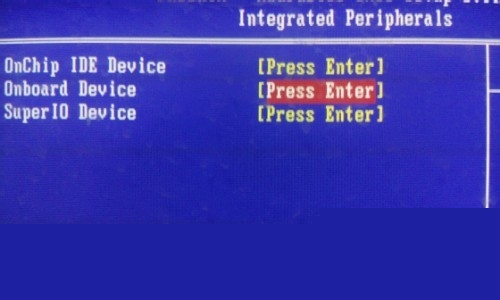
10、选择第二项板载设备

U盘打不开提示Remove disks or other media怎么办?

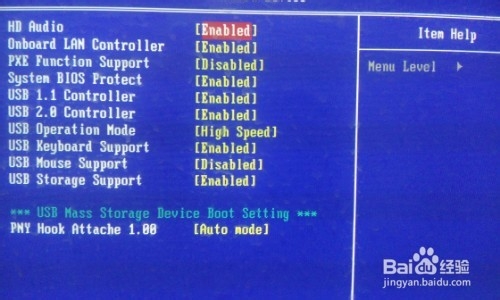
11、找到最后一项,U盘设备

U盘打不开提示Remove disks or other media怎么办?

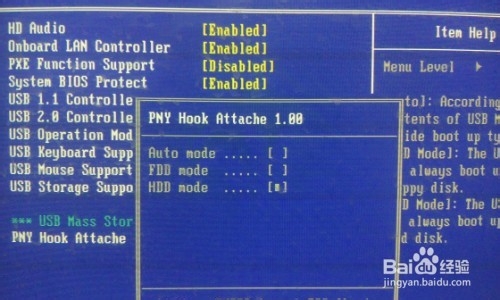
12、将U盘模式改为HDD模式

U盘打不开提示Remove disks or other media怎么办?

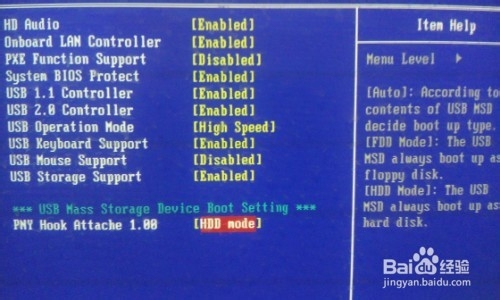
13、如图所示

U盘打不开提示Remove disks or other media怎么办?

14、重新打开BIOS,选择第二项

U盘打不开提示Remove disks or other media怎么办?

15、U盘被转移过来了

U盘打不开提示Remove disks or other media怎么办?

16、重新在开机时使用快捷键找到选择画面,选择第一项,U盘就在里面了

U盘打不开提示Remove disks or other media怎么办?

U盘打不开提示Remove disks or other media怎么办?

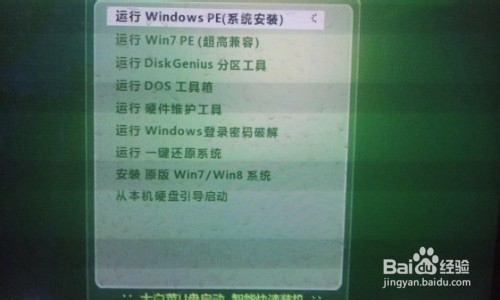
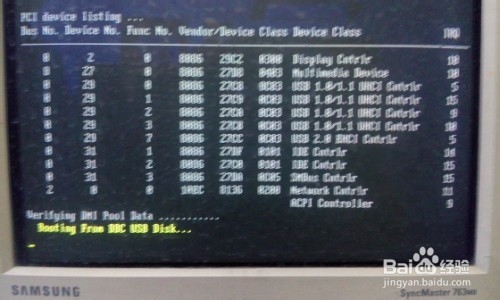
17、重启电脑,电脑自动转入U盘启动画面,不再出现“Remove disks or other media”提示
U盘打不开提示Remove disks or other media怎么办?

U盘打不开提示Remove disks or other media怎么办?

相关推荐:

免责声明: 凡标注转载/编译字样内容并非本站原创,转载目的在于传递更多信息,并不代表本网赞同其观点和对其真实性负责。如果你觉得本文好,欢迎推荐给朋友阅读;本文链接: https://m.nndssk.com/rjwt/195729fCKJJE.html
猜你喜欢
最新应用
热门应用