
Unity3D 冲锋效果、角色拖尾效果
番茄系统家园 · 2022-10-11 06:15:57
《魔兽世界》,本人最喜欢的网络游戏,如果你玩过战士,你一定对战士的冲锋非常熟悉,现在接触 Unity3D,因为最近用到了刀光、拖尾特效,所以就想做一个类似战士的冲锋效果,在本场景用到的拖尾效果可以查看我的另一篇文章,里面有详细的介绍,刀光效果来自 Unity3D Assets 商店,只是把原作者的例子代码整理了一下,变得非常简单实用的类。
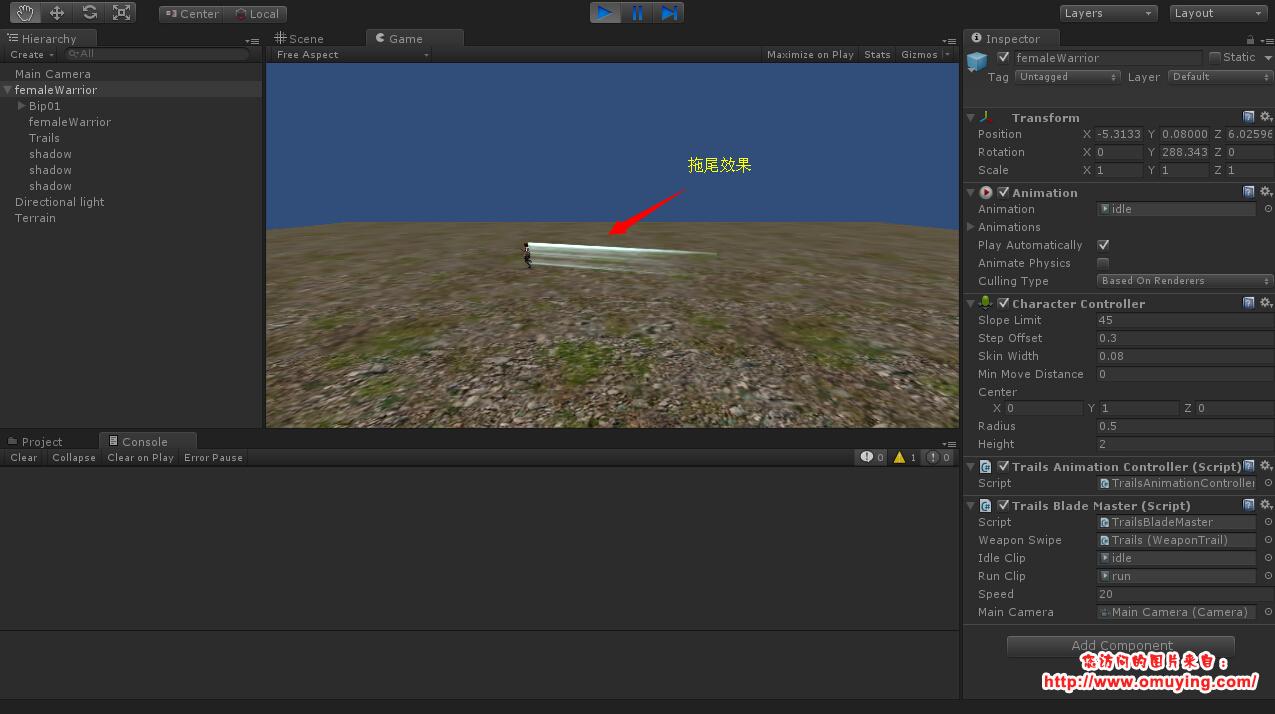
最终效果如下:
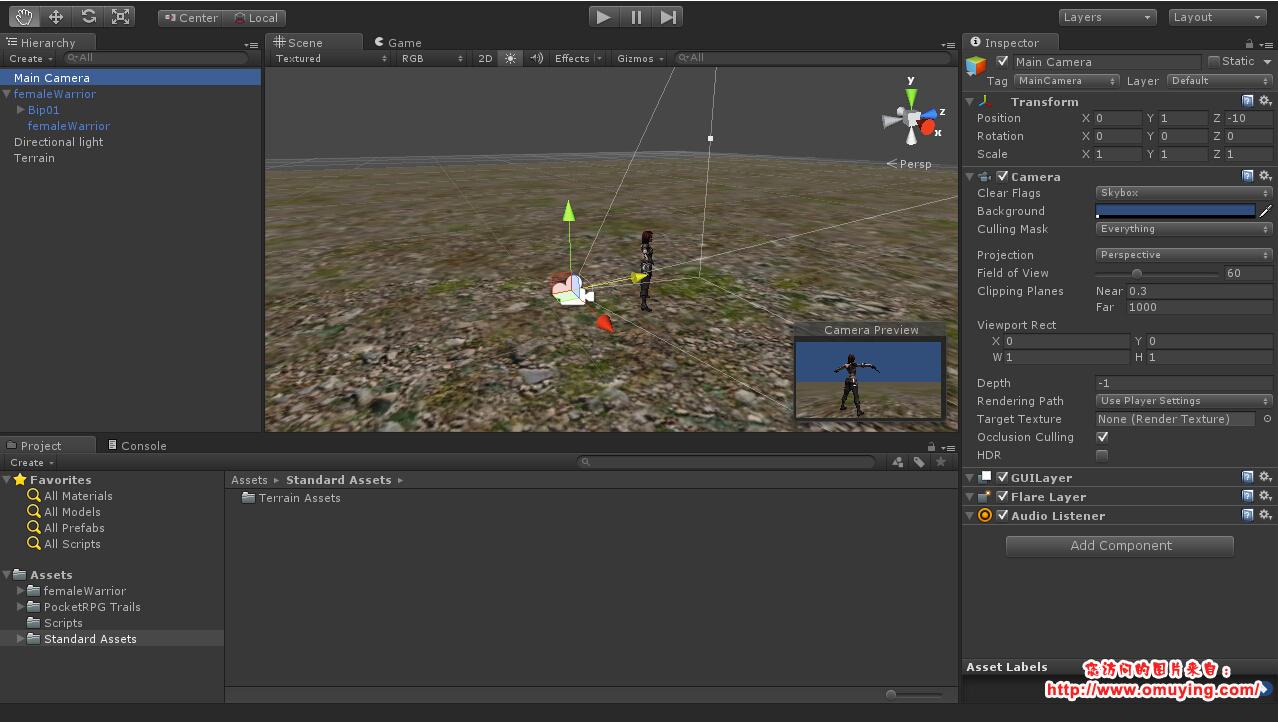
先来搭建我们的场景,如图:
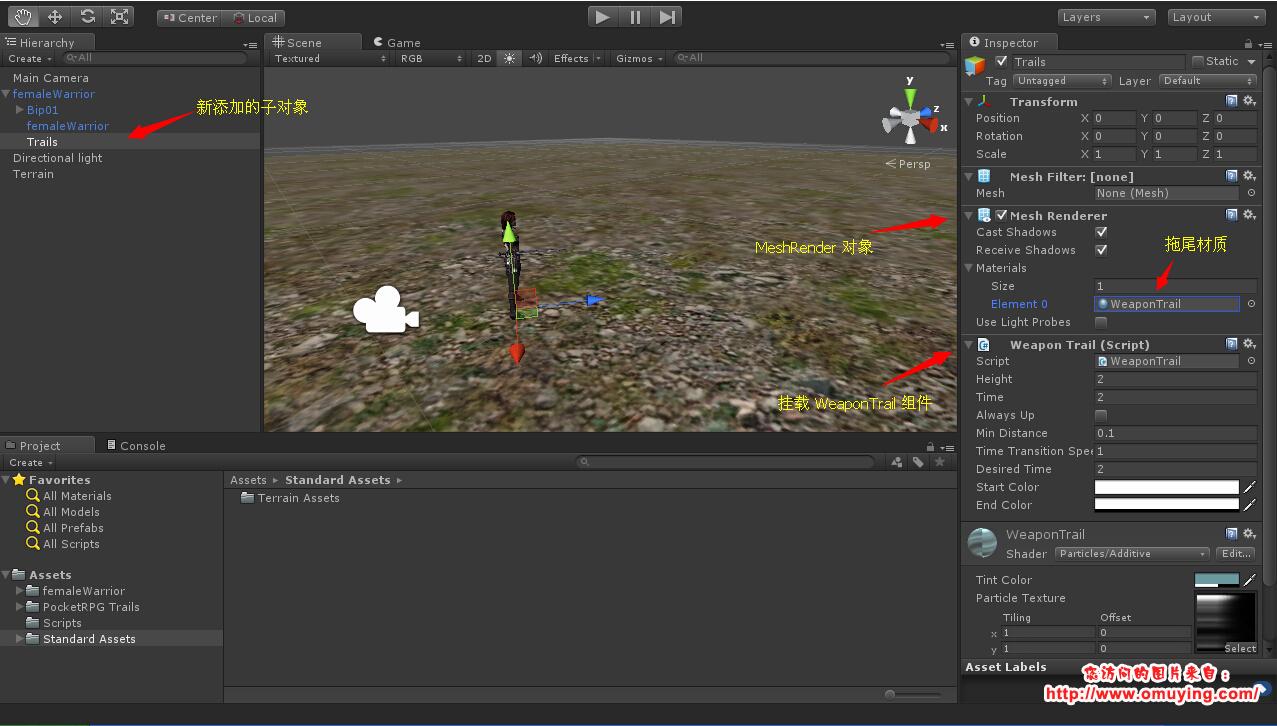
然后给角色的模型添加一个空对象,并且加上 MeshRender,并且设置好材质为 WeaponTrail,另外给这个空对象添加 WeaponTrail.cs 对象,设置好相关属性,如图:
下面的代码是修改另一篇文章的 TrailsBladeMaster.cs 类,新的代码如下:
复制代码代码如下:
using UnityEngine;
using System.Collections;
using System.Collections.Generic;
[AddComponentMenu("PocketRPG/Blade Master")]
public class TrailsBladeMaster : MonoBehaviour
{
/// summary
/// 拖尾效果
/// /summary
public WeaponTrail weaponSwipe;
public AnimationClip idleClip;
public AnimationClip runClip;
/// summary
/// 移动速度
/// /summary
public float speed = 20.0f;
public Camera mainCamera;
private Animation animation;
protected TrailsAnimationController animationController;
protected CharacterController characterController;
/// summary
/// 运行状态
/// /summary
private bool isMoving = false;
/// summary
/// 目标位置
/// /summary
private Vector3 targetPosition;
/// summary
/// 移动向量
/// /summary
private Vector3 moveDirection;
protected void Awake ()
{
this.animation = this.GetComponentAnimation ();
this.animationController = this.GetComponentTrailsAnimationController ();
this.characterController = this.GetComponentCharacterController ();
this.animation.CrossFade (this.idleClip.name);
}
protected void Start ()
{
if (this.weaponSwipe != null) this.animationController.AddTrail (this.weaponSwipe);
}
protected void Update ()
{
if (!this.isMovingInput.GetMouseButtonDown(0))
{
this.targetPosition = this.GetWorldPosition();
if(this.targetPosition != Vector3.zero)
{
this.isMoving = true;
this.moveDirection = (this.targetPosition - this.transform.position).normalized * this.speed;
this.transform.rotation = Quaternion.LookRotation(new Vector3(this.moveDirection.x, 0f, this.moveDirection.z));
this.animation.CrossFade(this.runClip.name);
if(this.weaponSwipe != null) this.weaponSwipe.StartTrail(1f, 0f);
}
}
if (this.isMoving)
{
if(!this.IsArrivePosition())
{
this.characterController.Move(this.moveDirection * Time.deltaTime);
}
else
{
this.animation.CrossFade(this.idleClip.name);
if(this.weaponSwipe != null) this.weaponSwipe.ClearTrail();
this.transform.position = this.targetPosition;
this.isMoving = false;
}
}
}
/// summary
/// 验证是否到达目标地点
/// /summary
/// returnsctrue/c if this instance is arrive position; otherwise, cfalse/c./returns
private bool IsArrivePosition()
{
Vector3 currentDirection = (this.targetPosition - this.transform.position).normalized;
if (this.CalculateNormalized (currentDirection) == this.CalculateNormalized (this.moveDirection) * -1)
{
return true;
}
return false;
}
/// summary
/// 规范化比较向量
/// /summary
/// returnsThe normalized./returns
/// param name="direction"Direction./param
private Vector3 CalculateNormalized(Vector3 direction)
{
Vector3 value = Vector3.zero;
value.x = direction.x0 ? 1 : -1;
value.z = direction.z0 ? 1 : -1;
return value;
}
/// summary
/// 获取世界位置
/// /summary
/// returnsThe world position./returns
private Vector3 GetWorldPosition()
{
Ray ray = this.mainCamera.ScreenPointToRay(Input.mousePosition);
RaycastHit raycastHit;
if(Physics.Raycast(ray, out raycastHit))
{
if(raycastHit.collider.gameObject.name == "Terrain")
{
return raycastHit.point;
}
}
return Vector3.zero;
}
}
&&>>
最后给角色对象挂载 TrailsAnimationController.cs 组件以及 TrailsBladeMaster.cs 组件,同时还需要添加一个角色控制器(CharacterController),因为我们用这个来驱动角色移动,如图:
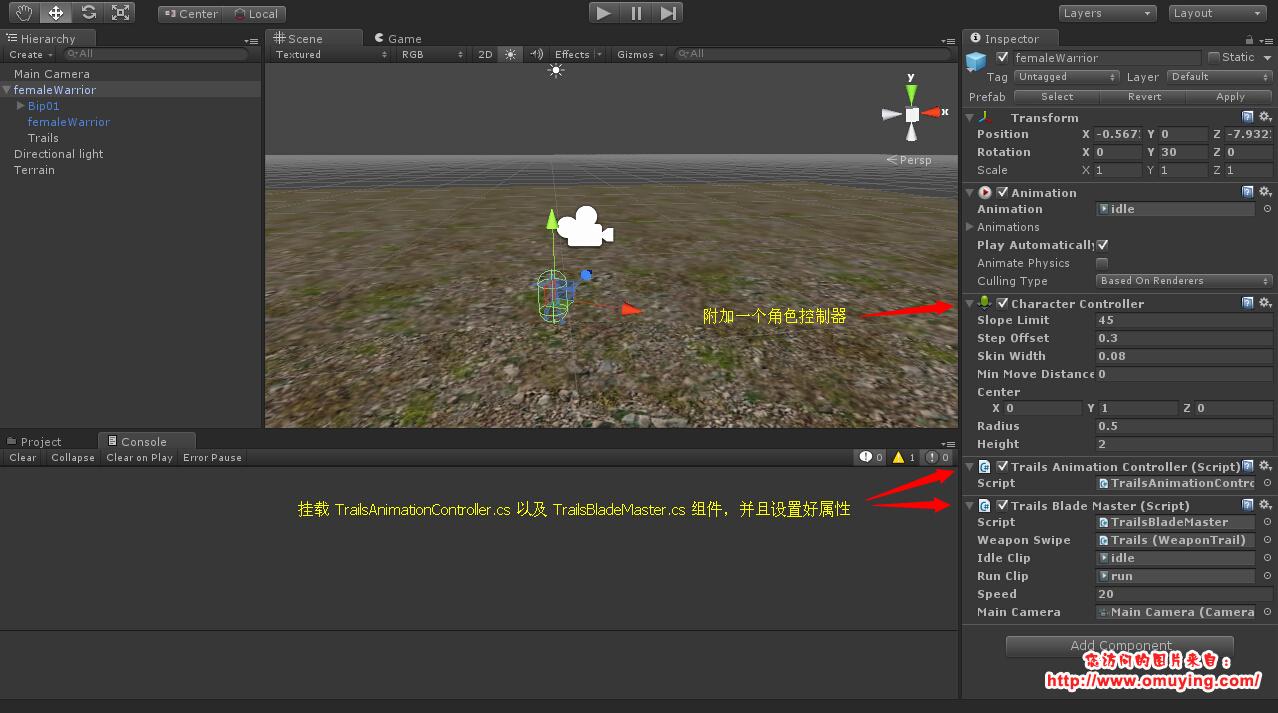
最后运行可以查看效果,点击地形,角色向目标点移动,并带有拖尾效果。
百度网盘下载地下:http://pan.baidu.com/s/1hqeiREO 密码: t41j
免责声明: 凡标注转载/编译字样内容并非本站原创,转载目的在于传递更多信息,并不代表本网赞同其观点和对其真实性负责。如果你觉得本文好,欢迎推荐给朋友阅读;本文链接: https://m.nndssk.com/rjwt/155658QTAww6.html。



















