
win7挂载开发环境到lwin7 挂载inux下面
番茄系统家园 · 2021-08-26 02:59:39
设置账户,密码设置为
2.设置共享目录,我这里是(F:\dev)
3创建下面的目录
cd~
--#这个是运行的用户下面的501是用户所在的组和用户id
4vim/etc/rc.d/rc.local
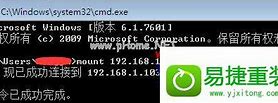
mount-tcifs//192.168.10.78/dev/windows_share-orw,username=share,password=share,uid=501,gid=501
说明需要添加uid和gid因为运行nginx的用户是www用户,安装的时候会有问题
【vim/etc/fstab(这个方法我一直没有实验成功,有说是因为没有连接上网络,这个自动挂载没有成功)
//192.168.10.78/dev/windows_sharecifsdefault,username=share,password=share02】
5重启系统
reboot
6nginx配置
vim/etc/local/nginx/conf/nginx.cnf
添加如下代码
server{
listen80;
server_namewww.discuz1.com;
charsetutf-8;
root/windows_share/discuz/;
indexindex.phpindex.htmlindex.htmjson.php;
error_page****4/50x.html;
location=/50x.html{
roothtml;
}
location~\.php${
indexindex.phpindex.html;
fastcgi_pass127.0.0.1:9000;
fastcgi_indexindex.php;
fastcgi_paramSCRIPT_FILENAME$document_root$fastcgi_script_name;
includefastcgi_params;
}
}
7在e:/dev/下面放上discuz的代码
我的目录:
E:\dev\discuz
8在win7中配置host
把linux的服务器的ip写入
192.168.239.128www.discuz1.com
9输入网址:
http://www.discuz1.com/
免责声明: 凡标注转载/编译字样内容并非本站原创,转载目的在于传递更多信息,并不代表本网赞同其观点和对其真实性负责。如果你觉得本文好,欢迎推荐给朋友阅读;本文链接: https://m.nndssk.com/post/48290.html。



















