
添加usb3 0驱动
番茄系统家园 · 2021-07-17 11:07:40
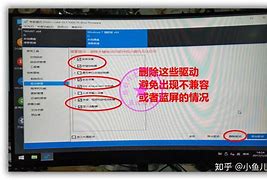
文章中所有需要使用到的软件和资源在文章末尾的网盘连接中有下载
-
a),
b)(C:\WIM,)
c)ChoosetheindexnumberfortheversionofWindows7youhavefromthedrop-downlistunderIndex.
1=HomeBasic
2=HomePremium
3=Professional
4=Ultimate
(ps:windows这部分的索引可以无视)
d)ClicktheChooseFolderbuttonfortheMountLocation.Browsetotheproperfolder(C:\WIM\MOUNT,forexample)andclickOK.
e)VerifytheReadOnlycheckboxisclearandclicktheMountWIMbutton.(ps:注意ReadOnly按钮需要取消勾选)
Themountingprocessmaytakeafewminutes,dependinguponthespeedoftheAdminsystemandthesizeoftheinstall.wimfile.
免责声明: 凡标注转载/编译字样内容并非本站原创,转载目的在于传递更多信息,并不代表本网赞同其观点和对其真实性负责。如果你觉得本文好,欢迎推荐给朋友阅读;本文链接: https://m.nndssk.com/post/14242.html。猜你喜欢
最新应用







热门应用